안드로이드 스튜디오 event 처리2
안드로이드 스튜디오반응형
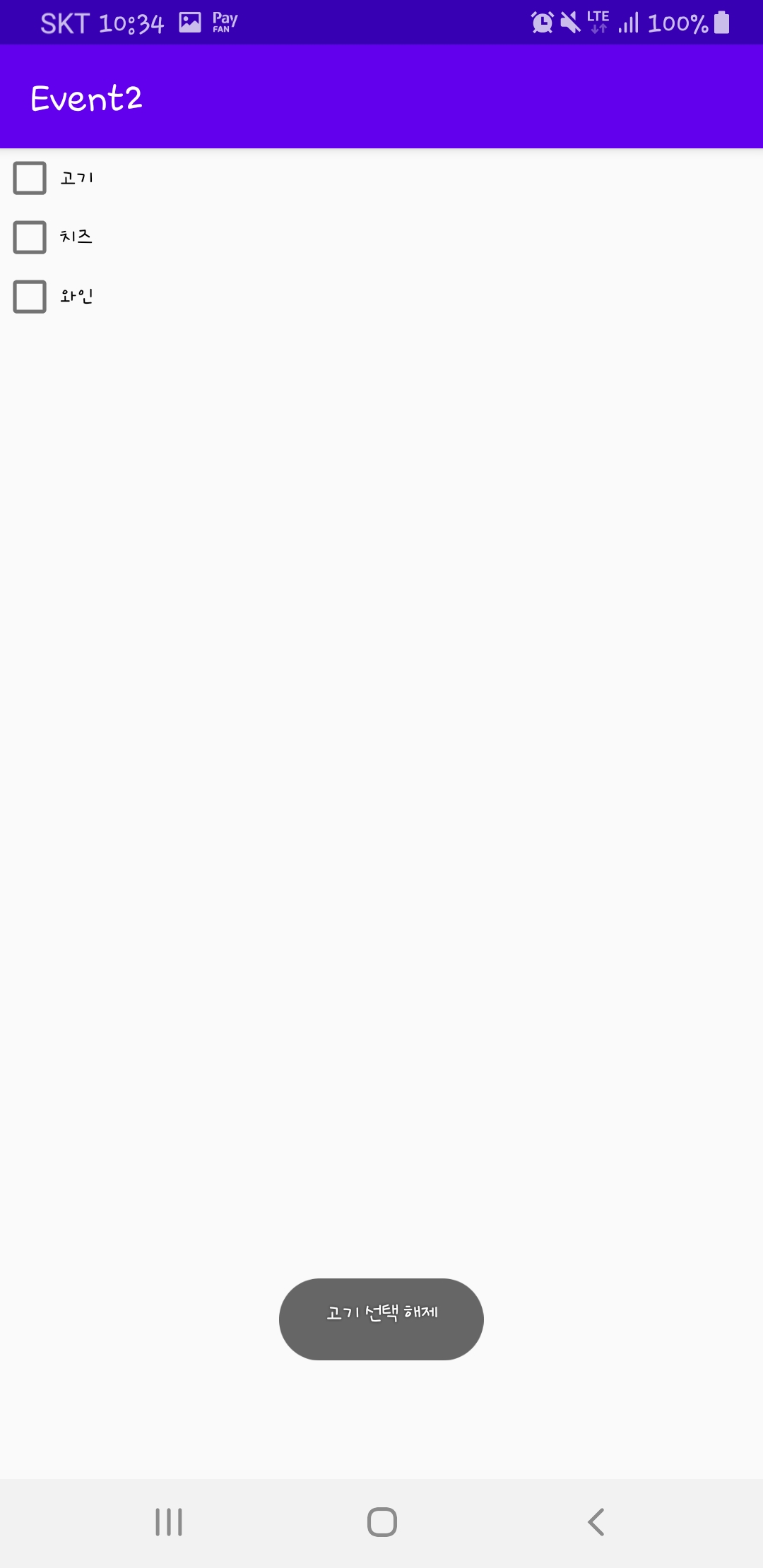
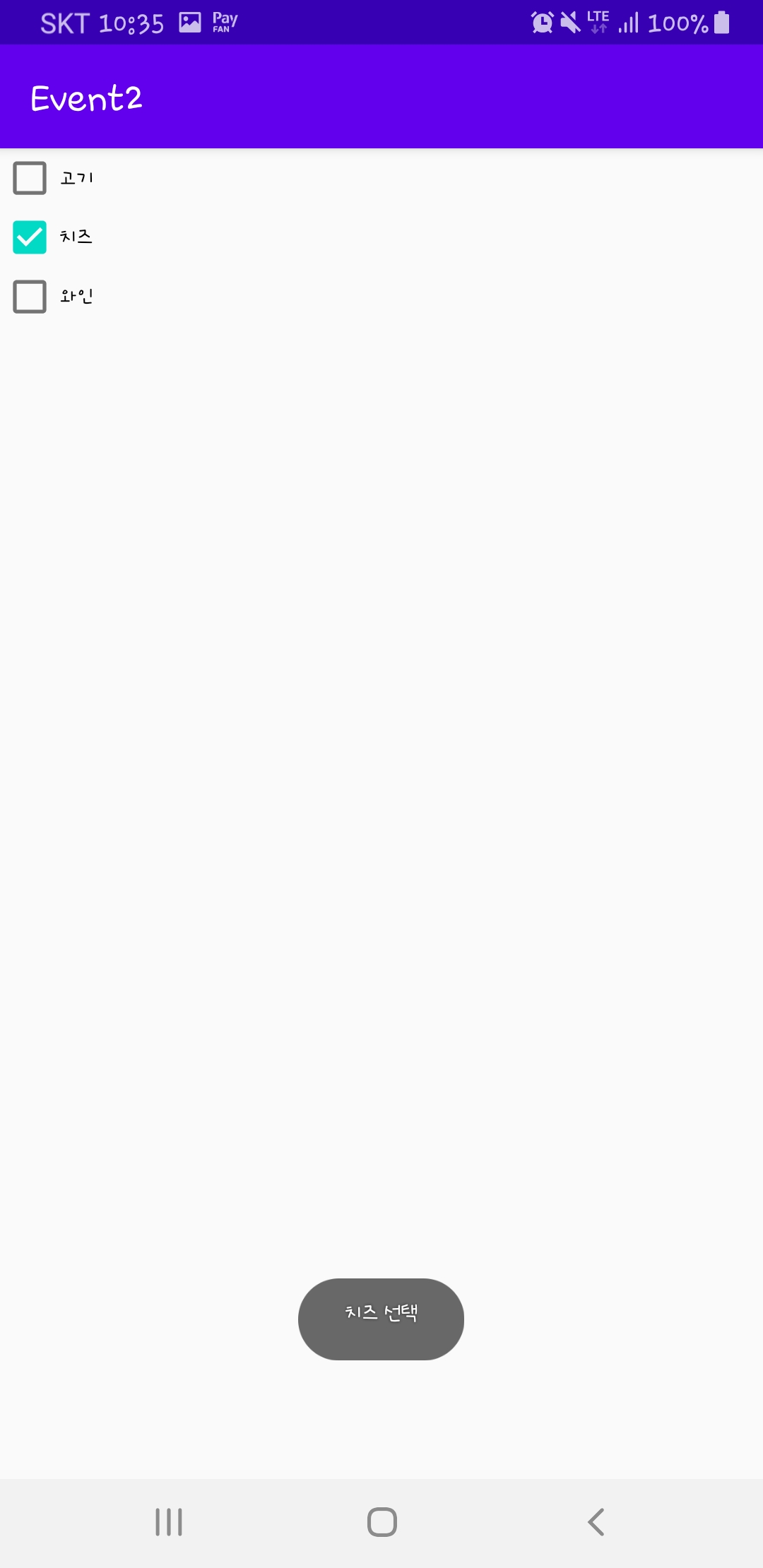
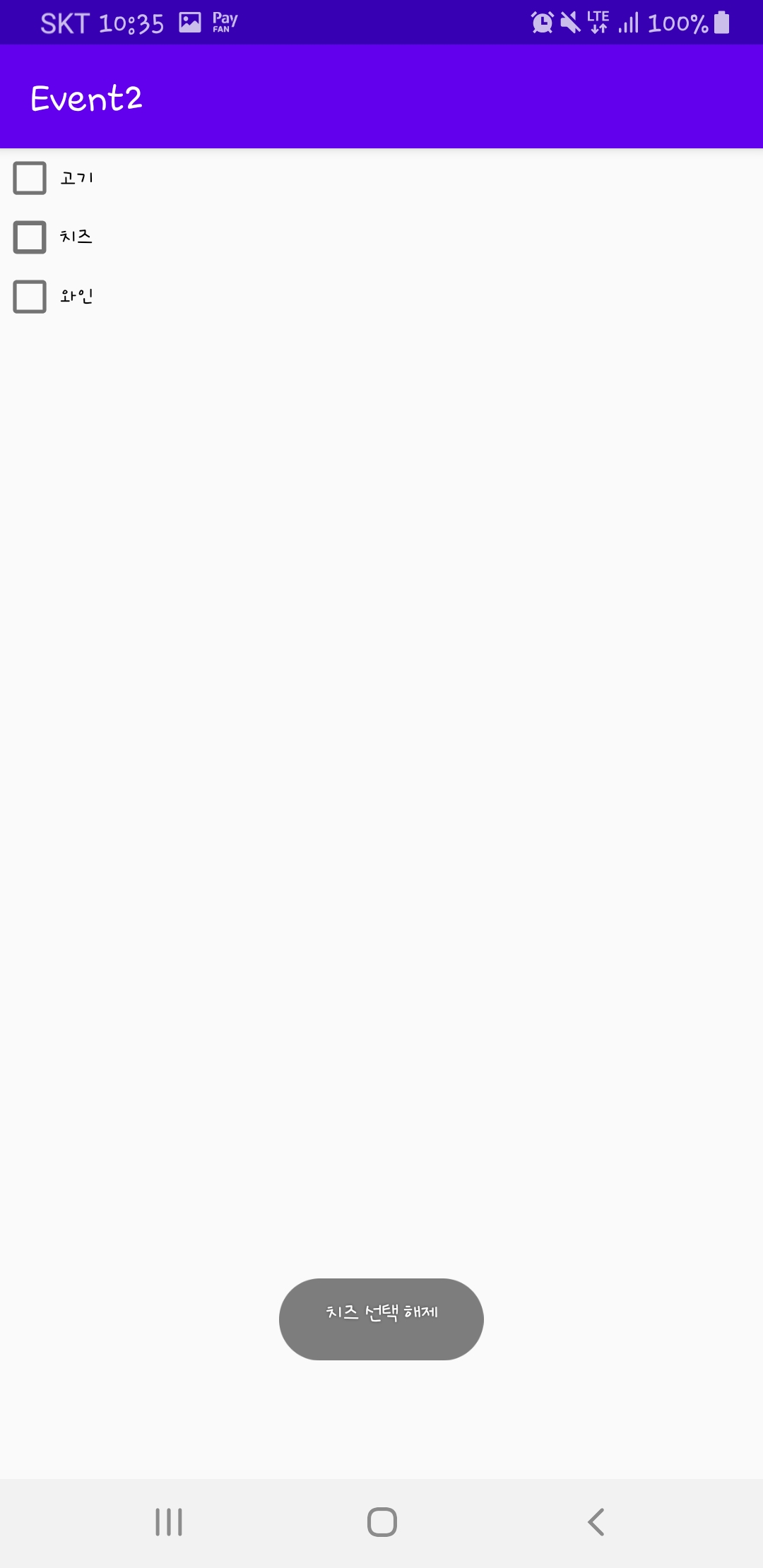
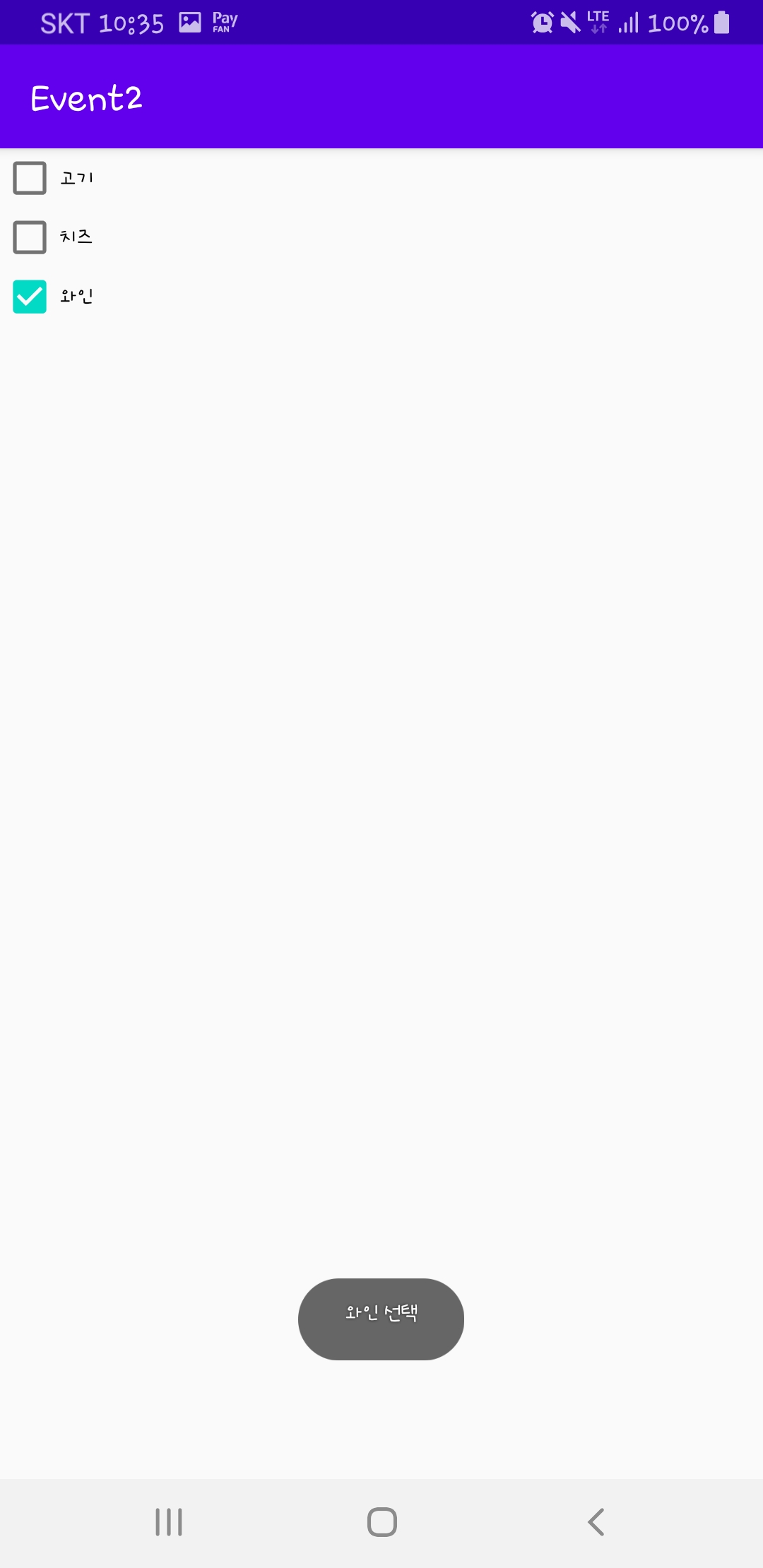
체크 박스 (checkbox) 이벤트 처리
xml
<?xml version="1.0" encoding="utf-8"?>
<LinearLayout xmlns:android="http://schemas.android.com/apk/res/android"
    xmlns:app="http://schemas.android.com/apk/res-auto"
    xmlns:tools="http://schemas.android.com/tools"
    android:layout_width="match_parent"
    android:layout_height="match_parent"
    android:orientation="vertical"
    tools:context=".MainActivity" >

    <CheckBox
        android:id="@+id/check_meat"
        android:layout_width="match_parent"
        android:layout_height="wrap_content"
        android:onClick="boxcheck"
        android:text="고기" />
    <CheckBox
        android:id="@+id/check_chease"
        android:layout_width="match_parent"
        android:layout_height="wrap_content"
        android:onClick="boxcheck"
        android:text="치즈" />
    <CheckBox
        android:id="@+id/check_wine"
        android:layout_width="match_parent"
        android:layout_height="wrap_content"
        android:onClick="boxcheck"
        android:text="와인" />
</LinearLayout>
java
package com.example.event2;

import androidx.appcompat.app.AppCompatActivity;

import android.os.Bundle;
import android.view.View;
import android.widget.CheckBox;
import android.widget.Toast;

public class MainActivity extends AppCompatActivity {

    @Override
    protected void onCreate(Bundle savedInstanceState) {
        super.onCreate(savedInstanceState);
        setContentView(R.layout.activity_main);
    }

    public void boxcheck(View view) {
        boolean check = ((CheckBox)view).isChecked(); //체크 유무 판별

        switch (view.getId()){
            case R.id.check_meat:
                if (check)
                    Toast.makeText(getApplicationContext(),"고기 선택",Toast.LENGTH_SHORT).show();
                else
                    Toast.makeText(getApplicationContext(),"고기 선택 해제",Toast.LENGTH_SHORT).show();
                break; //id 확인 하고 체크 되었는지에 따라 메세지가 나타나게 한다
            case R.id.check_chease:
                if (check)
                    Toast.makeText(getApplicationContext(),"치즈 선택",Toast.LENGTH_SHORT).show();
                else
                    Toast.makeText(getApplicationContext(),"치즈 선택 해제",Toast.LENGTH_SHORT).show();
                break;
            case R.id.check_wine:
                if (check)
                    Toast.makeText(getApplicationContext(),"와인 선택",Toast.LENGTH_SHORT).show();
                else
                    Toast.makeText(getApplicationContext(),"와인인선택 해제",Toast.LENGTH_SHORT).show();
                break;
        }
    }
}


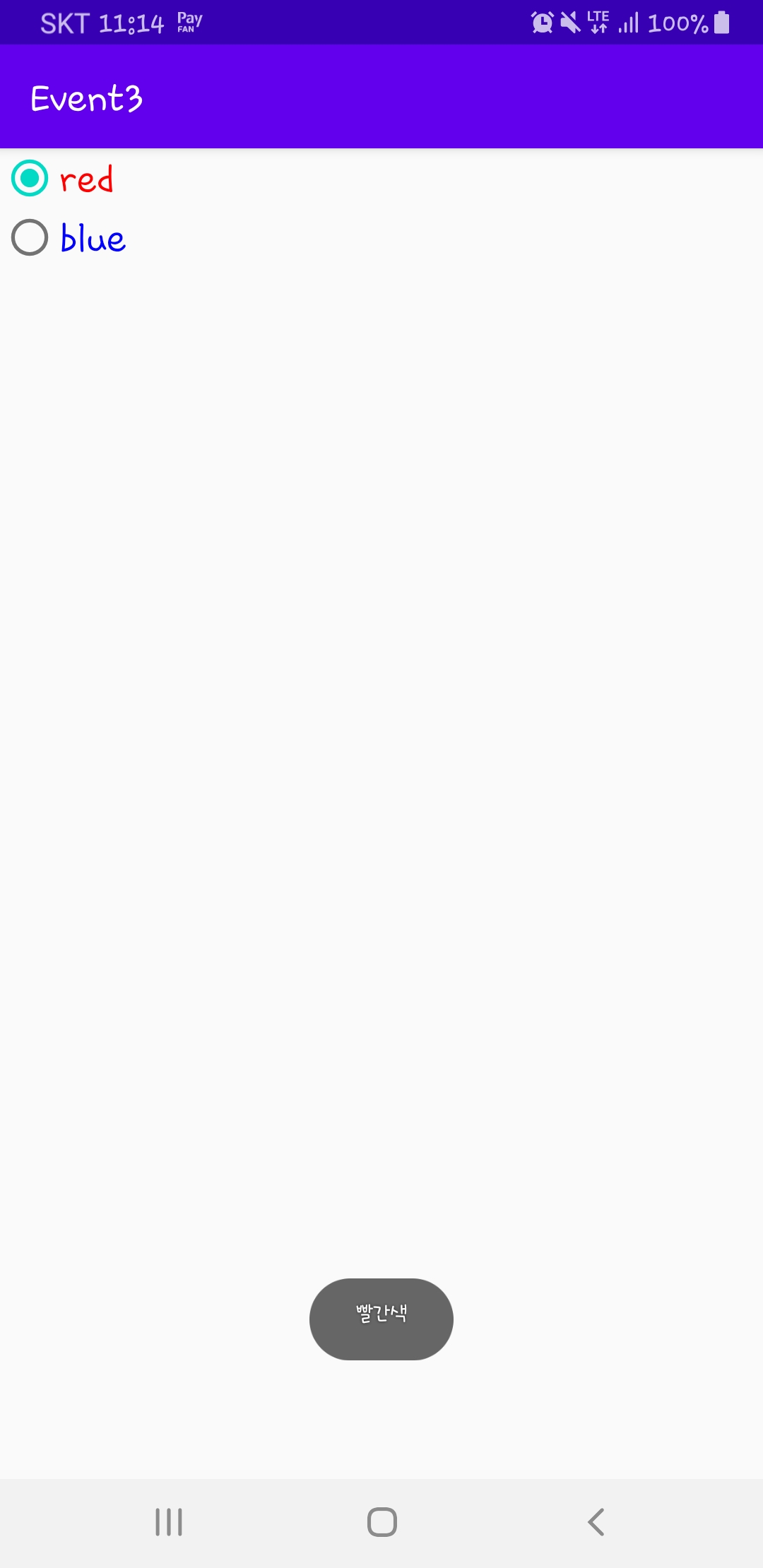
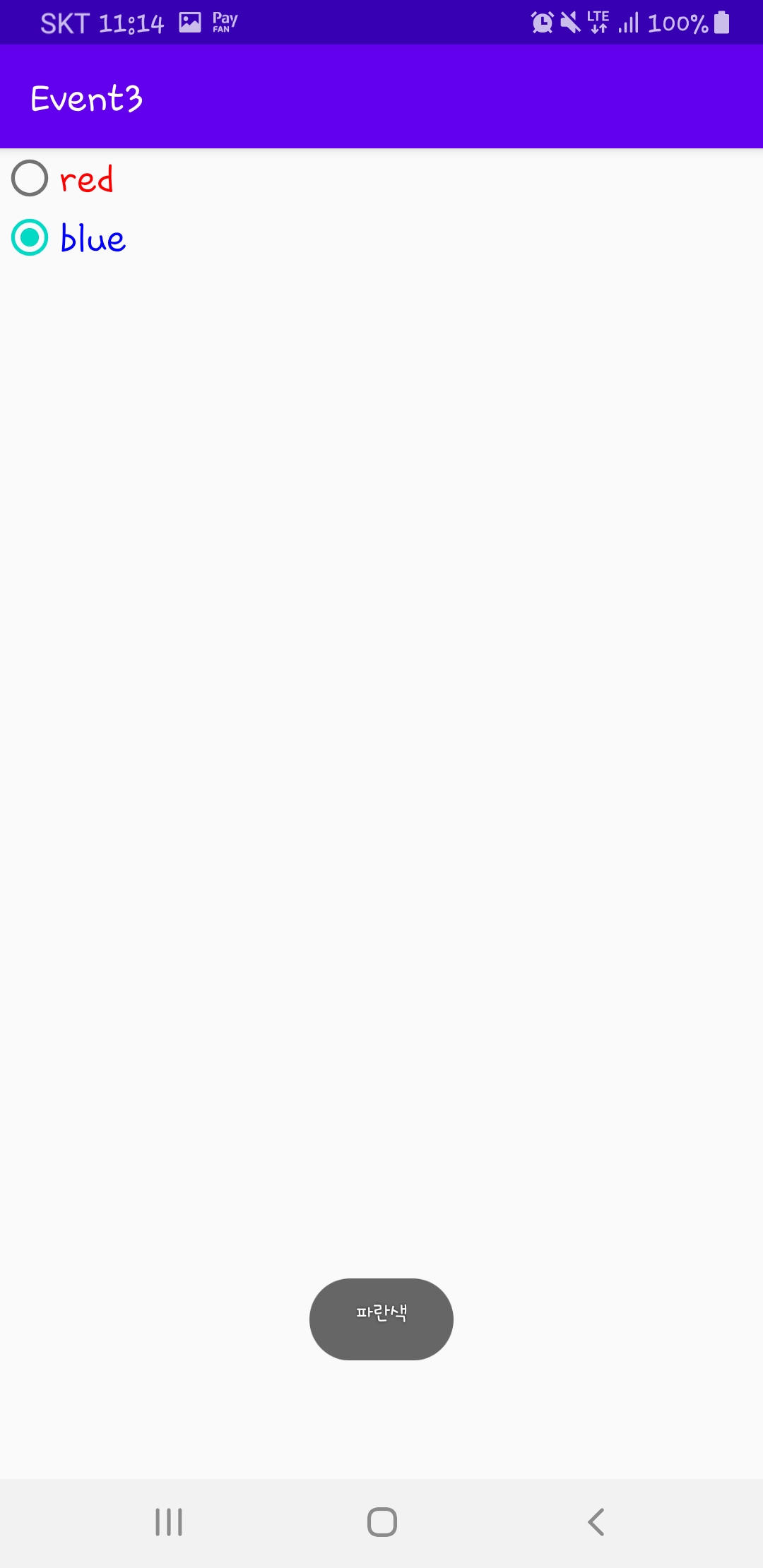
라디오 버튼 (RadioButton) 이벤트 처리
xml
<?xml version="1.0" encoding="utf-8"?>
<LinearLayout xmlns:android="http://schemas.android.com/apk/res/android"
    xmlns:app="http://schemas.android.com/apk/res-auto"
    xmlns:tools="http://schemas.android.com/tools"
    android:layout_width="match_parent"
    android:layout_height="match_parent"
    tools:context=".MainActivity" >

    <RadioGroup
        android:layout_width="match_parent"
        android:layout_height="match_parent" >

        <RadioButton
            android:id="@+id/radio_red"
            android:layout_width="match_parent"
            android:layout_height="wrap_content"
            android:text="red"
            android:textColor="#ff0000"
            android:textSize="20dp"
            android:onClick="radioclick"/>

        <RadioButton
            android:id="@+id/radio_blue"
            android:layout_width="match_parent"
            android:layout_height="wrap_content"
            android:text="blue"
            android:textColor="#0000ff"
            android:textSize="20dp"
            android:onClick="radioclick"/>
    </RadioGroup>
</LinearLayout>
java
package com.example.event3;

import androidx.appcompat.app.AppCompatActivity;

import android.os.Bundle;
import android.view.View;
import android.widget.RadioButton;
import android.widget.Toast;

public class MainActivity extends AppCompatActivity {

    @Override
    protected void onCreate(Bundle savedInstanceState) {
        super.onCreate(savedInstanceState);
        setContentView(R.layout.activity_main);
    }

    public void radioclick(View view) {
        boolean check = ((RadioButton) view).isChecked();
        switch (view.getId()) {
            case R.id.radio_red:
                if (check)
                    Toast.makeText(getApplicationContext(), "빨간색", Toast.LENGTH_SHORT).show();
                break;
            case R.id.radio_blue:

                if (check)
                    Toast.makeText(getApplicationContext(), "파란색", Toast.LENGTH_SHORT).show();
                break;
        }
    }
}
토글 (Toggle) 이벤트 처리
xml
<?xml version="1.0" encoding="utf-8"?>
<LinearLayout xmlns:android="http://schemas.android.com/apk/res/android"
    xmlns:app="http://schemas.android.com/apk/res-auto"
    xmlns:tools="http://schemas.android.com/tools"
    android:layout_width="match_parent"
    android:layout_height="match_parent"
    tools:context=".MainActivity" >

    <ToggleButton
        android:id="@+id/toggleButton"
        android:layout_width="match_parent"
        android:layout_height="wrap_content"
        android:textOff="Toggle off"
        android:textOn="Toggle on"
        android:onClick="toggleclik"/>
</LinearLayout>
java
package com.example.event3;

import androidx.appcompat.app.AppCompatActivity;

import android.os.Bundle;
import android.view.View;
import android.widget.RadioButton;
import android.widget.Toast;
import android.widget.ToggleButton;

public class MainActivity extends AppCompatActivity {

    @Override
    protected void onCreate(Bundle savedInstanceState) {
        super.onCreate(savedInstanceState);
        setContentView(R.layout.activity_main);
    }


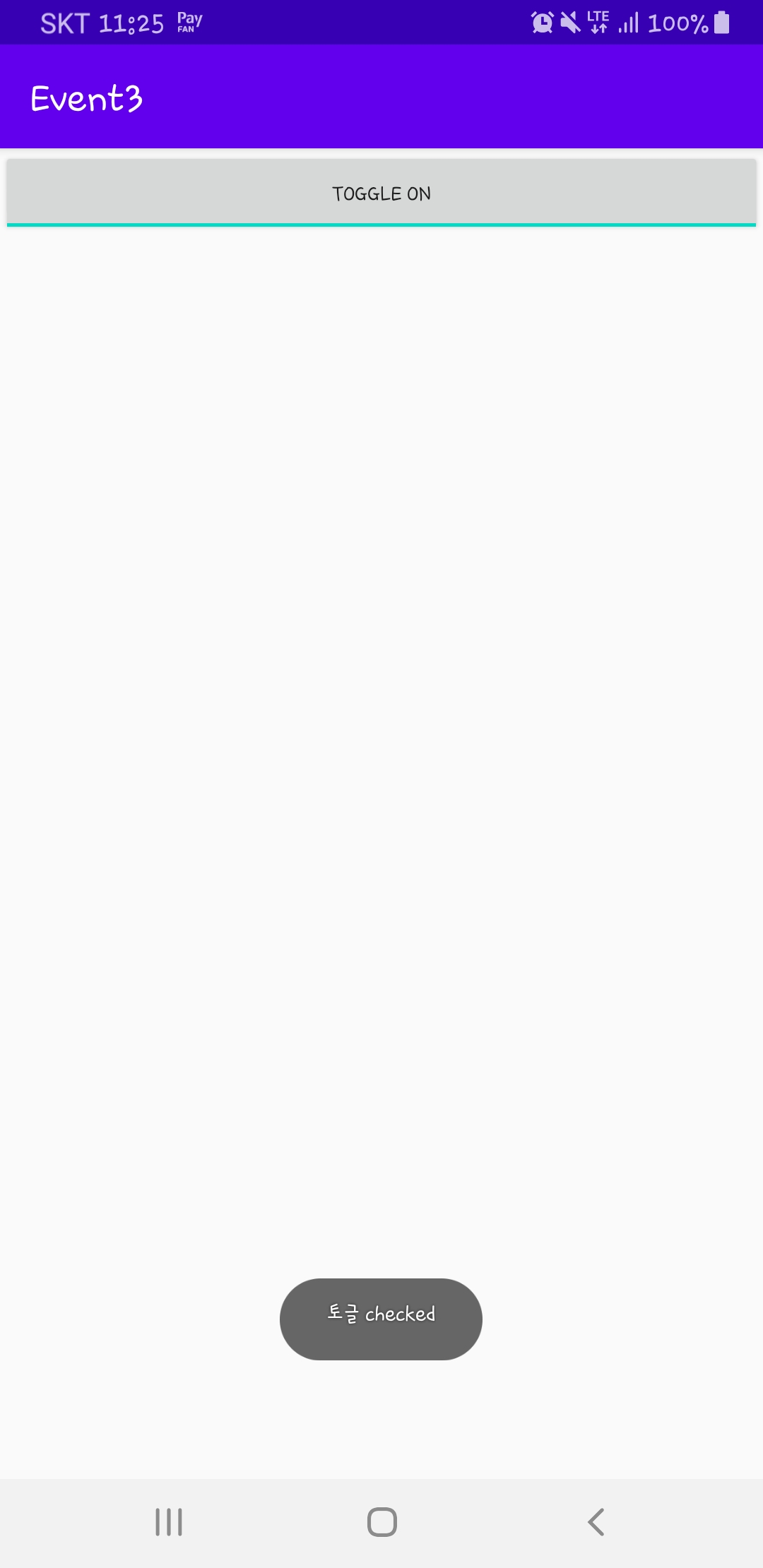
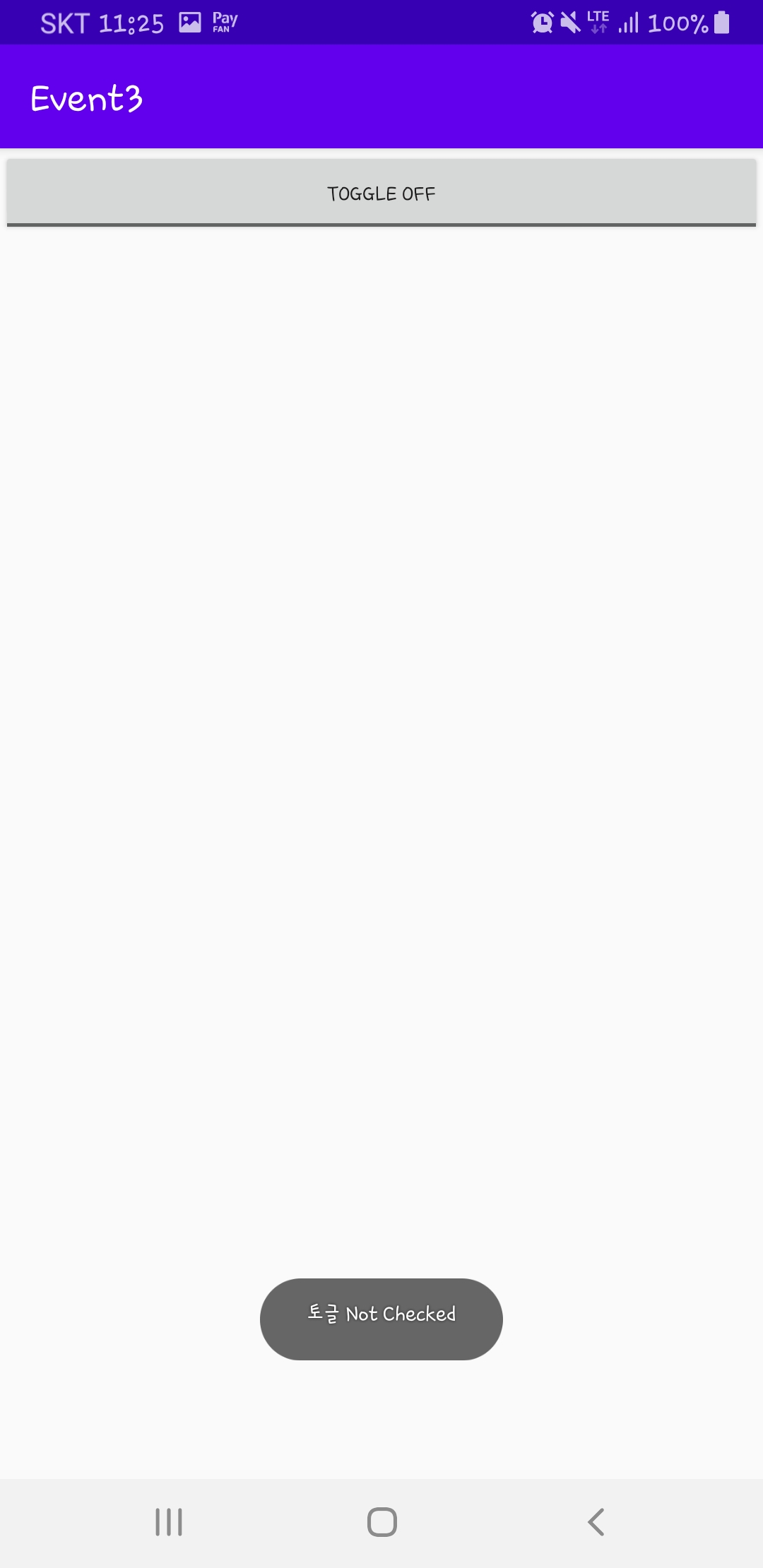
    public void toggleclik(View view) {
        boolean on = ((ToggleButton)view).isChecked();

        if (on)
            Toast.makeText(getApplicationContext(),"토글 checked",Toast.LENGTH_SHORT).show();
        else
            Toast.makeText(getApplicationContext(),"토글 Not Checked",Toast.LENGTH_SHORT).show();
    }
}
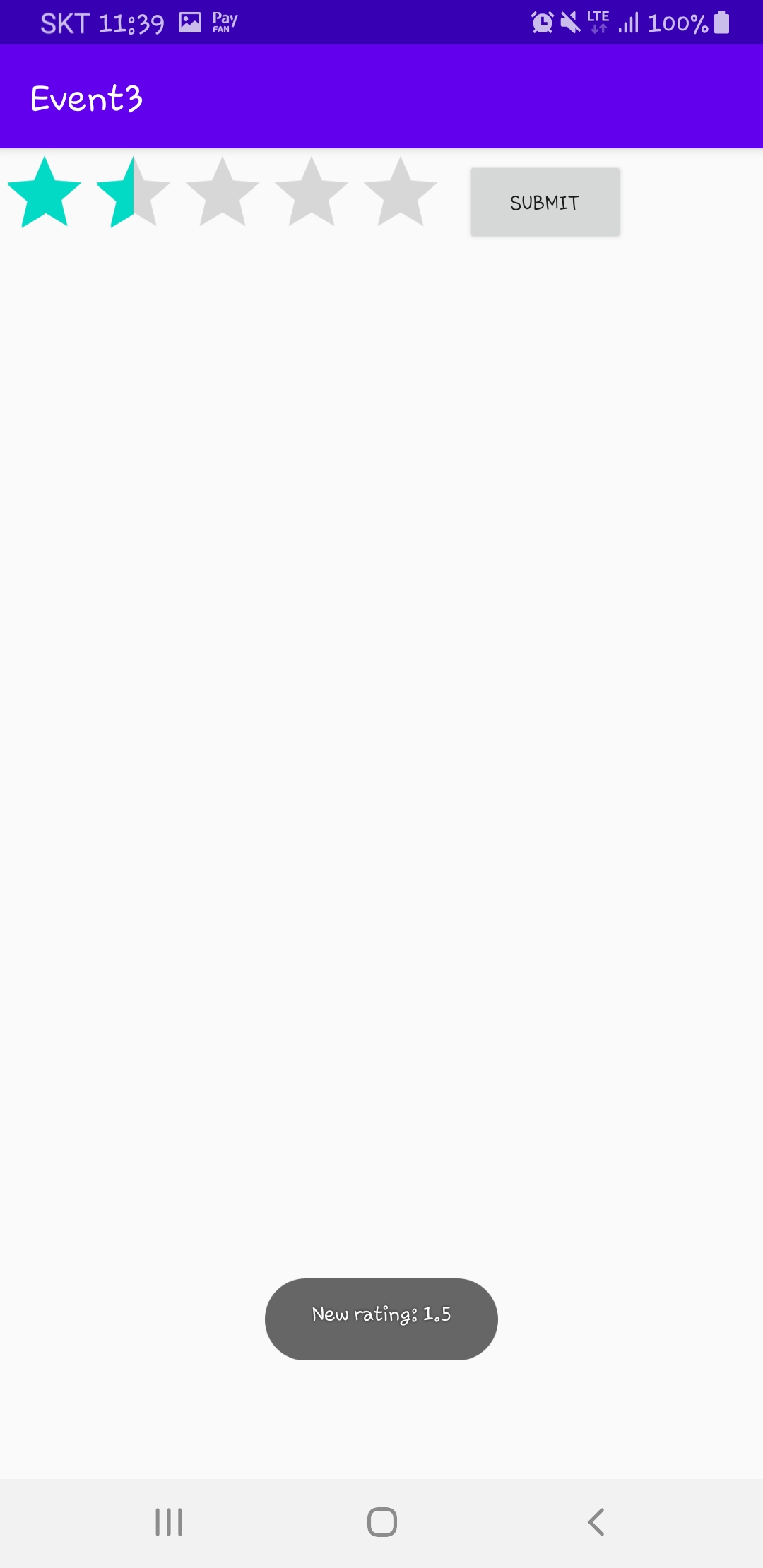
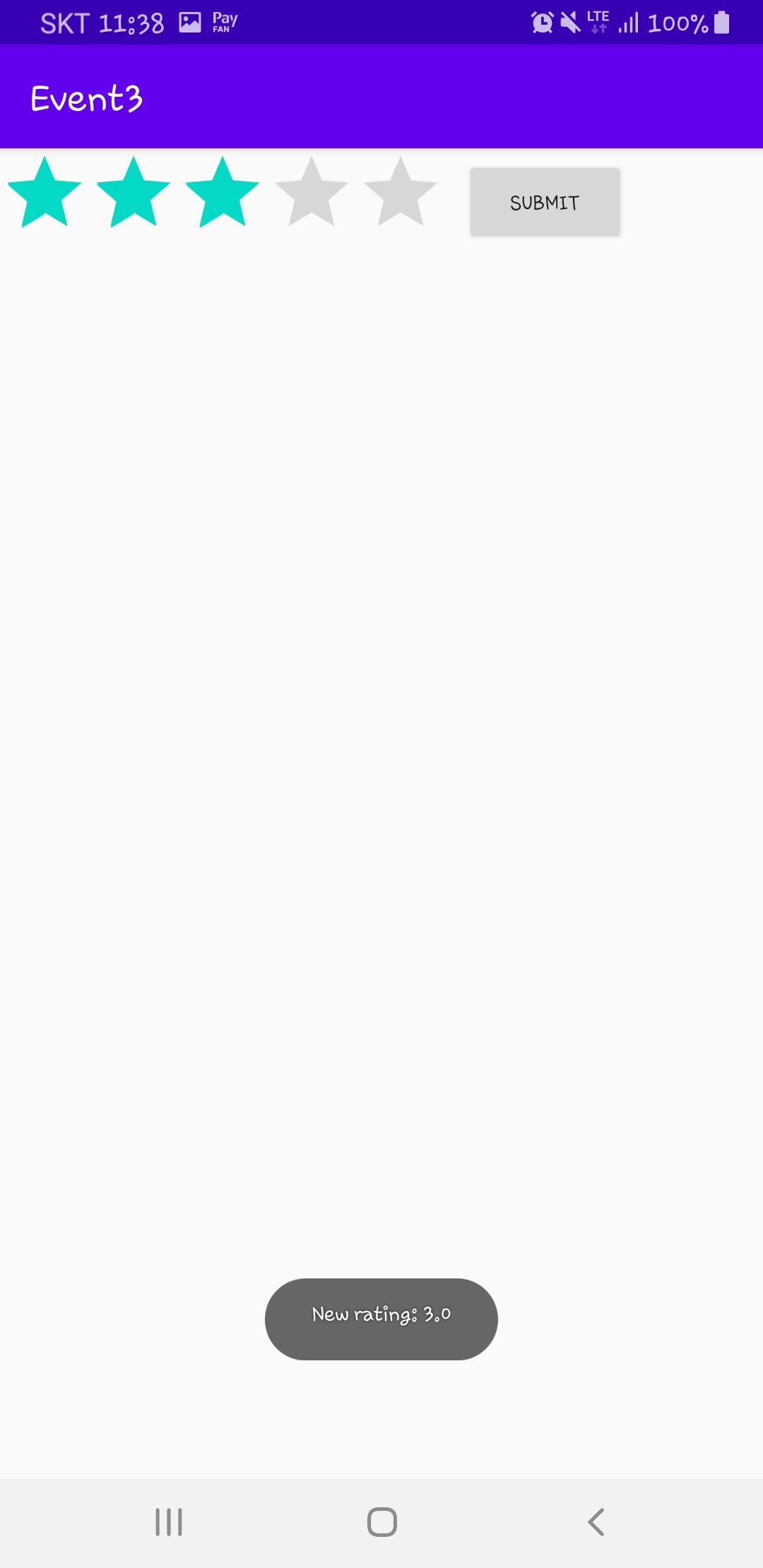
별점 (Rating Bar) 이벤트 처리
xml
<?xml version="1.0" encoding="utf-8"?>
<LinearLayout xmlns:android="http://schemas.android.com/apk/res/android"
    xmlns:app="http://schemas.android.com/apk/res-auto"
    xmlns:tools="http://schemas.android.com/tools"
    android:layout_width="match_parent"
    android:layout_height="match_parent"
    tools:context=".MainActivity">

    <RatingBar
        android:id="@+id/ratingBar"
        android:layout_width="wrap_content"
        android:layout_height="wrap_content"
        android:numStars="5"
        android:stepSize="0.5" />
    <Button
        android:id="@+id/button"
        android:layout_width="wrap_content"
        android:layout_height="wrap_content"
        android:layout_marginLeft="10dp"
        android:layout_marginTop="5dp"
        android:text="Submit" />
</LinearLayout>
java
package com.example.event3;

import androidx.appcompat.app.AppCompatActivity;

import android.os.Bundle;
import android.view.View;
import android.widget.Button;
import android.widget.RadioButton;
import android.widget.RatingBar;
import android.widget.Toast;
import android.widget.ToggleButton;

public class MainActivity extends AppCompatActivity {

    RatingBar star;
    Button bnt;

    @Override
    protected void onCreate(Bundle savedInstanceState) {
        super.onCreate(savedInstanceState);
        setContentView(R.layout.activity_main);

        star = findViewById(R.id.ratingBar);
        bnt = findViewById(R.id.button);
        star.setOnRatingBarChangeListener(new RatingBar.OnRatingBarChangeListener() {
            @Override
            public void onRatingChanged(RatingBar ratingBar, final float rating, boolean fromUser) {
                bnt.setOnClickListener(new View.OnClickListener() {
                    @Override
                    public void onClick(View v) {
                        Toast.makeText(getApplicationContext(),"New rating: "+rating,Toast.LENGTH_SHORT).show();
                    }
                });
            }
        });
    }
}
반응형
'안드로이드 스튜디오' 카테고리의 다른 글
| 안드로이드 스튜디오 event 처리 4 (seekbar) (0) | 2020.04.19 |
|---|---|
| 안드로이드 스튜디오 터치 이벤트 (0) | 2020.04.19 |
| 안드로이드 스튜디오 event 처리 3 (0) | 2020.04.18 |
| 안드로이드 스튜디오 event 처리 (0) | 2020.04.18 |
| 안드로이드 스튜디오 시작하기 (0) | 2020.04.05 |